
Hotpoint Washing Machine Door Locked? How to Unlock It Safely

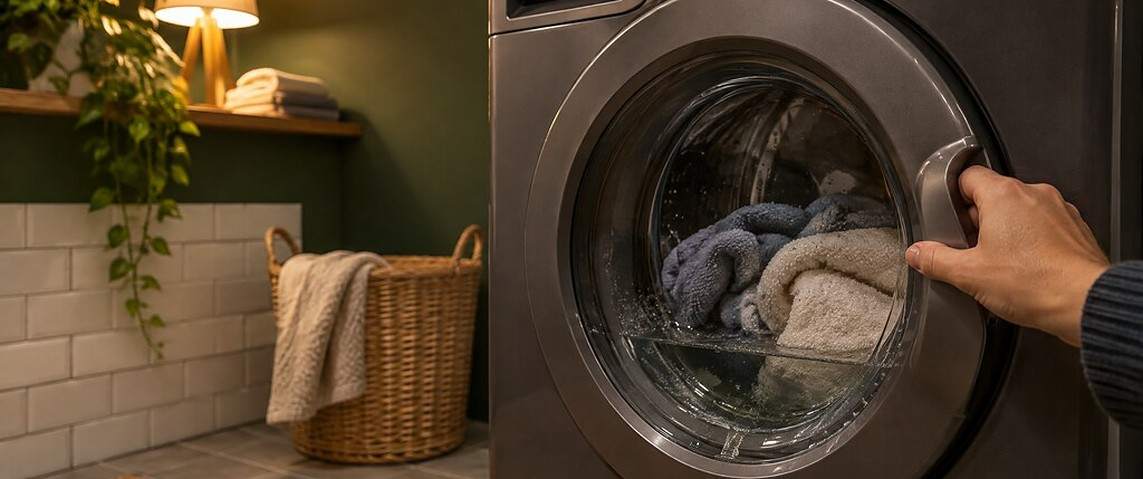
A Hotpoint washing machine door stays locked while the door-lock symbol is lit. That's usually because there's still water in the drum or the cycle hasn't quite finished. Wait a couple of minutes after the cycle ends, then run Spin & Drain to empty the drum. If that doesn't work, unplug the machine, take off the plinth at the bottom front, and drain it through the pump filter into a tray. On the display, F05 points to a drain blockage and F06 to a door lock fault.
In this post, we'll cover
- Why is my Hotpoint washing machine door locked?
- How to unlock a Hotpoint washing machine door: step by step
- Hotpoint error codes linked to a locked door
- Check the Hotpoint door lock recall
- Door locked after a power cut
- When the door won't open even after draining
- Could appliance insurance help with a Hotpoint door fault?
- How to stop your Hotpoint door locking again
- When to call an engineer
- The short version
The wash has finished, the towels are inside, and the door won't open. Frustrating, but with a Hotpoint it's usually a drain problem rather than a broken lock, and you can often sort it yourself with a tray, some towels and a bit of patience.
This guide covers front-loading Hotpoint washing machines. It explains how to open the door safely, what the error codes mean, why you should check the door lock recall, and when it's time to call an engineer. Buttons and codes vary between models, so keep your manual handy if you have it.
Why is my Hotpoint washing machine door locked?
Hotpoint machines lock the door as soon as a programme starts, and the door-lock symbol lights up. The door stays locked until that symbol goes out. The usual reasons it won't unlock are:
- There's water in the drum. A blocked pump filter, kinked waste hose or blocked sink trap stops the machine draining. Hotpoint links this to code F05.
- The cycle hasn't fully finished. The door usually unlocks a minute or two after the end of the cycle.
- The door lock has failed. Hotpoint shows a door lock fault as F06.
- A power cut interrupted the cycle. The lock can stay engaged until the machine resets.
- Key Lock is on. This locks the buttons, not the door. But if the buttons won't respond you can't pause or drain, so turn it off first.
How to unlock a Hotpoint washing machine door: step by step
Step 1: Wait for the door-lock symbol to go out
After the cycle ends, give it a couple of minutes. Don't pull the handle while the symbol is lit, as that can damage the lock.
Step 2: Turn off Key Lock if it's on
If the Key Lock symbol is lit, the control panel won't respond. On many current Hotpoint models you press and hold the Key Lock button for about 2 seconds to turn it off. If that doesn't work, check your manual.
Step 3: Run Spin & Drain
If you can see water in the drum, select Spin & Drain. To drain without spinning, set the spin to 0 or "no spin". Once the water has gone and the door-lock symbol goes out, the door should open.
Step 4: Restart the machine
Switch the machine off and unplug it for at least 2 minutes. Plug it back in, wait 30 seconds and switch it on. This is Hotpoint's own reset advice for several electronic faults.
Step 5: Drain it through the pump filter
If the machine won't drain itself, you can empty it by hand. There may be a lot of water, so take it slowly.
- Unplug the machine.
- Lay towels down and have a shallow tray or baking dish ready.
- Remove the plinth (the kick panel) at the bottom front of the machine.
- Put the tray under the drain pump filter and unscrew it slowly, a little at a time, letting the water out in stages. Empty the tray as often as you need to.
- When no more water comes out, take the filter out and clear any coins, hair, buttons or fluff.
- Screw the filter back in firmly and refit the plinth.
Safety: if the last wash was hot, let the machine cool before you drain it. The water can scald.
Step 6: Check the waste hose and sink trap
If the filter was clear, the blockage may be further along. Make sure the waste hose isn't kinked or squashed behind the machine, and that the sink trap or standpipe it drains into isn't blocked.
Step 7: Check the door and seal
Look for anything caught in the door seal or around the latch, like a sock or a bra wire, that could stop the lock releasing.
Is there an emergency door release on a Hotpoint?
Some older Hotpoint models have a manual release cable near the pump filter behind the plinth. Hotpoint's current advice doesn't describe one, so the safe approach is to drain the machine and reset it. Only use a release if it's clearly there and the drum is completely empty. Don't pull wires or prise at parts behind the plinth.
Hotpoint error codes linked to a locked door
Code | What it means | What to do |
F05 | Waste pipe blockage or pump issue. The door won't open, or it opens but water stays in the drum | Clean the pump filter and check the waste hose and sink trap. If it keeps coming back, the pump may have failed, so call an engineer |
F06 | Door lock fault | Check for anything blocking the door lock, and check the recall below. If it keeps coming back, call an engineer |
F11 | Pump circuit fault. Water stays in and isn't pumped out | Drain by hand (Step 5), then call an engineer |
F18 | Internal data error. Some or all functions don't work | Unplug for at least 2 minutes, reconnect, wait 30 seconds and restart. Call an engineer if it comes back |
F01 | Electronic circuit board fault | Same reset as F18. Call an engineer if it comes back |
Codes can differ between older and newer models, and older machines without a display show faults as flashing lights. Your user manual has the definitive list.
Check the Hotpoint door lock recall
Certain Hotpoint and Indesit washing machines made between October 2014 and February 2018 were recalled because a part of the door lock could overheat and catch fire. You can read about it in the government's recall notice. Hotpoint still shows a safety notice about the recall on its support pages.
If your machine was made in that period, check its model and serial number on Whirlpool's washing machine recall checker. You'll find both numbers inside the door or on the back. If your machine is affected, unplug it and stop using it. Affected owners are offered a free repair or replacement.
Door locked after a power cut
- Switch the machine off and unplug it for at least 2 minutes.
- Plug it back in, wait 30 seconds and switch it on.
- If there's water in the drum, run Spin & Drain, or drain it through the pump filter (Step 5).
- The door should unlock once the drum is empty and the door-lock symbol goes out.
When the door won't open even after draining
If the drum is empty, the door-lock symbol is off, you've done the 2-minute reset and the door still won't open, the door lock (interlock) or the handle mechanism has probably failed. A repeating F06 points the same way. Don't force the door. A broken handle or hinge only makes the repair bigger.
Could appliance insurance help with a Hotpoint door fault?
If the door lock, pump or circuit board has genuinely broken down, washing machine insurance may help with the cost of the repair. Smart Cover's appliance insurance covers mechanical and electrical breakdown of your insured appliance, up to £500 per claim, subject to terms, conditions, limits and exclusions.
It's worth knowing what isn't covered before you rely on it:
- Your washing machine must be under 10 years old when the policy starts.
- Faults that exist before the policy starts aren't covered. A policy taken out today won't cover a door that's already stuck.
- Machines recalled by the manufacturer aren't covered, so check the recall first.
- Routine cleaning, clearing the filter, wear and tear, and blockages caused by a build-up of fluff, lint or debris aren't covered.
- If an engineer finds no fault (for example, Key Lock was on or the filter just needed a clean), the claim is declined and the call-out charge is still payable.
- An excess applies to claims in the first 45 days, and to claims on machines over 6 years old.
If you're weighing it up, our guide on whether washing machine insurance is worth it explains how cover works in more detail.
How to stop your Hotpoint door locking again
- Clean the pump filter every few months. A blocked filter is a common cause of F05 and a locked door.
- Empty pockets before washing. Coins, hair grips and tissues end up in the filter.
- Don't overload the drum. It strains the door and seal.
- Keep the waste hose straight, and check the sink trap if the machine drains slowly.
- Wait for the door-lock symbol to go out before you open the door.
Regular care makes a difference whatever the brand. Our guide on when a washing machine should be serviced covers the bigger checks.
When to call an engineer
Contact Hotpoint or a qualified engineer if:
- F05 comes back after you've cleaned the filter and checked the hose
- F06, F11 or F18 keeps returning
- the door stays locked after draining and a reset
- the handle, hinge or lock is visibly damaged
If your machine shows F06, check the recall before you book a repair.
The short version
Most locked Hotpoint doors come down to water that won't drain, usually because of a blocked pump filter. Drain it, reset it, and the door should open. If it doesn't, or F06 keeps appearing, the door lock needs an engineer.
Disclaimer
This guide is general information for front-loading Hotpoint washing machines. It isn't produced or endorsed by Hotpoint. Always follow your own model's user manual, and unplug the machine before draining it or removing the plinth. Smart Cover is a trading name of Smart Cover Direct Limited, an Appointed Representative of City & Commercial Limited, which is authorised and regulated by the Financial Conduct Authority.


